

The Eternal Underdog
All these years the web ecosystem has been using a handful of image formats, all deeply flawed since they were conceived at the dawn of the web, while for fifteen years we’ve had access to the perfect one, combining everything we ever wanted.
WebP stands as proof that technical superiority alone isn’t enough to dethrone the competition and become the undisputed standard, even when there’s nothing to criticize and everything to gain by adopting it. It remains underappreciated, disliked (the first result in YouTube is “The Most HATED Image Format” video), even mocked. And just as people are beginning to recognize it for what it truly is, the go-to for almost every use case, a new format has emerged, trying to claim its piece of the web.
A bit of Archeology
The first widely used formats on the World Wide Web were GIF (pronounced “jif,” as its creator insists), a relic still alive today, especially for memes and all kinds of cringe-worthy [and iconic] animations, and JPEG, both respectively created in 1987 and 1992.
Both format are very different: GIF is limited to 256 colors, with just one that can be transparent, and since its compression method is optimized for areas of flat color, photographs are its nemesis, leading to degraded hues and massive file sizes.
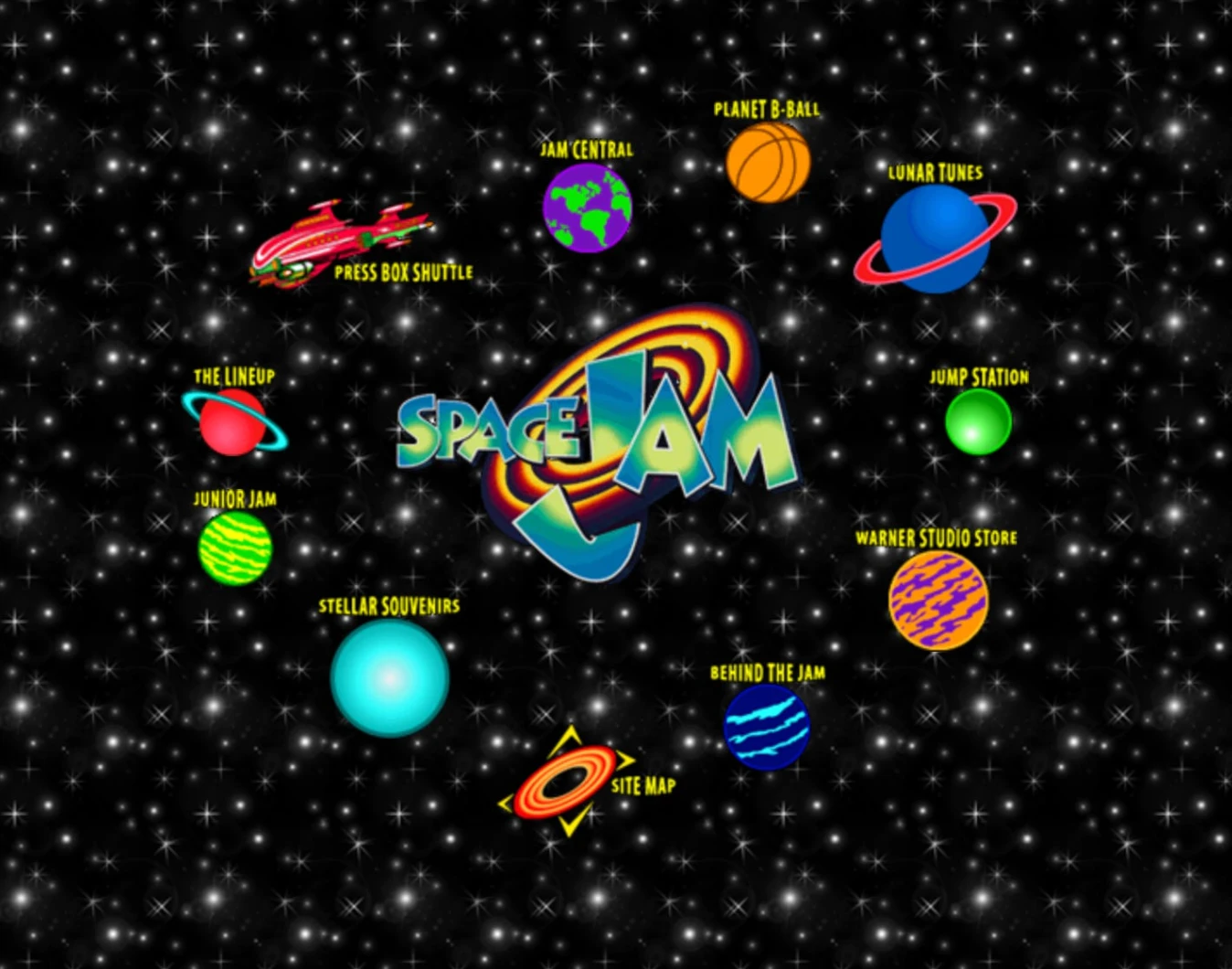
[SpaceJam is still alive and remains a small pearl of web nostalgia. Enjoy the source code.]
On the other hand, JPEG (or JPG, since Windows only accepted three-letter extensions at the time) offers a proper way to display photographs with thousands of colors and relatively efficient compression, though compressing too much would alter the image in ways any trained eye could spot. For a long time, this combination was the only option we had to display images on the web. GIF was used for logos, animations, clip art, and anything small enough to fit within a 256-color palette, often with transparency and sharp edges. JPEG became the de facto format for large images and photographs.
A few years later, in 1996, PNG became part of the W3C Recommendation as a partial alternative to GIF, but sadly, it took more than a decade to be fully supported. PNG offered an improved lossless compression format over GIF, with higher color depth and 256 levels of transparency instead of just one, although it was heavy and poorly suited for photographs. Animation was also left to other emerging formats like Macromedia Flash and the painfully slow effort to establish a common JavaScript standard across browsers.
And since then, it feels like nothing has really changed. If you browse the web today, you’ll still see mostly GIFs for memes and small animations (APNG never took off), JPEGs for pictures, and PNGs for logos and clip arts (except for the rise of SVG, thank god, but that’s for vector illustrations). We just stuck with it, even though it’s impractical af, since none of these formats are truly adequate.
From Codec to Canvas
The birth of WebP came from the video compression industry. It is, fundamentally, a still frame of the VP8 video codec repurposed as a static image format. In 2008, On2 Technologies developed this highly efficient block-based video codec competing with H.264. The company was acquired by Google in 2010 and decided to open-source VP8 to promote royalty-free multimedia formats.
The main difference with its predecessors, and what makes WebP stand out by its versatility, is the fact that WebP is not a monolithic format like its predecessors, it is a RIFF-based image format. If I lost you here, let’s rewind a bit.
GIFs, JPEGs, and PNGs are monolithic. Each relies on a single algorithm with its own strengths and weaknesses. A RIFF (for Resource Interchange File Format) is different, it’s a generic container format. If you’ve ever downloaded videos online (copyright free, of course), you’ve probably noticed that while the file had an extension like .AVI, you sometimes needed a specific codec to play it, unless you used VLC or IINA, which would make you a tech-savvy and sophisticated person (or it means you’ve never downloaded a video from the internet, in which case you’re a saint). In a way, WebP is like the AVI container that can host different codecs as long as they comply with its specifications.
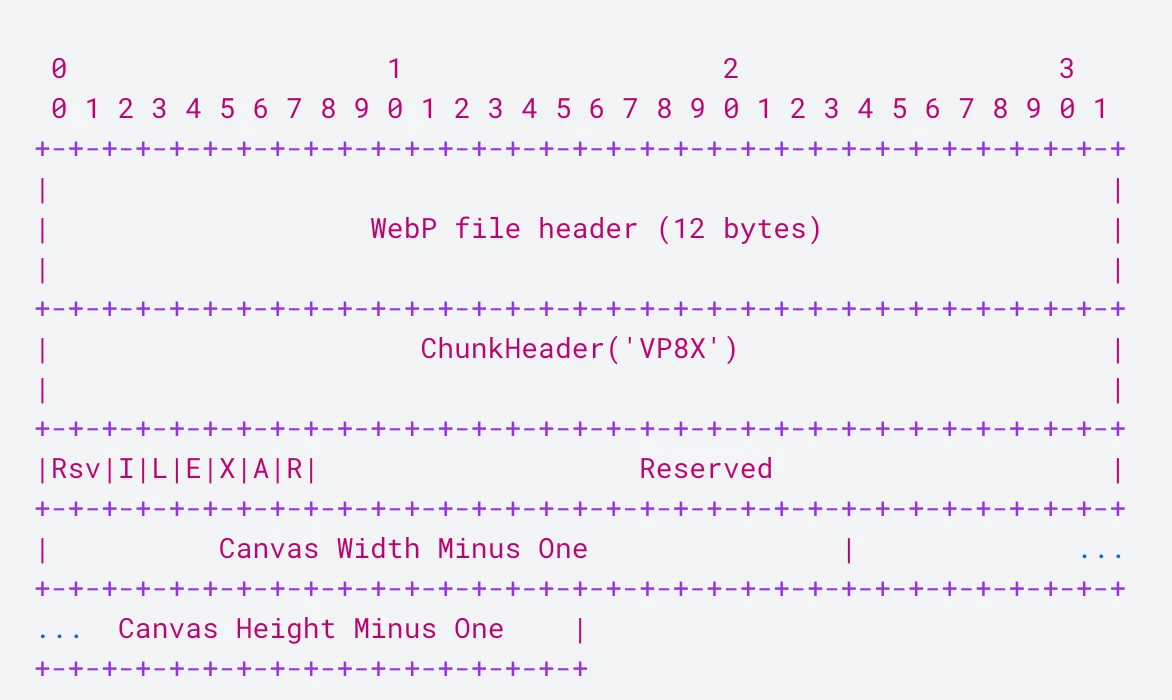
Inside a WebP, you can have VP8 or VP8L for image data, ALPH for transparency, ANIM or ANMF for animation, and metadata chunks like EXIF, ICCP, and XMP. A structure allowing a single WebP file to handle animated, lossy or lossless images with transparency, combining the best features of other formats in one efficient and flexible standard.
Therefore, WebP delivers results that range from good to downright dramatic. For instance, converting my 1674×1674 UFO background image from PNG (as a lossless starting point) to JPEG (95% quality) and WebP (95% quality), I managed to shrink the 1.5 MB PNG file down to 470 KB as a JPEG and just 170 KB as a WebP.
This is, of course, an exceptional case: the image’s complex color gradients make it unsuitable for PNG compression, yet perfectly matched for WebP’s predictive algorithm. Overall, comprehensive benchmarks from Google show that WebP typically provides 25-34% better compression than JPEG and about 26% over PNG, while also offering solid gains compared to GIF for animations.
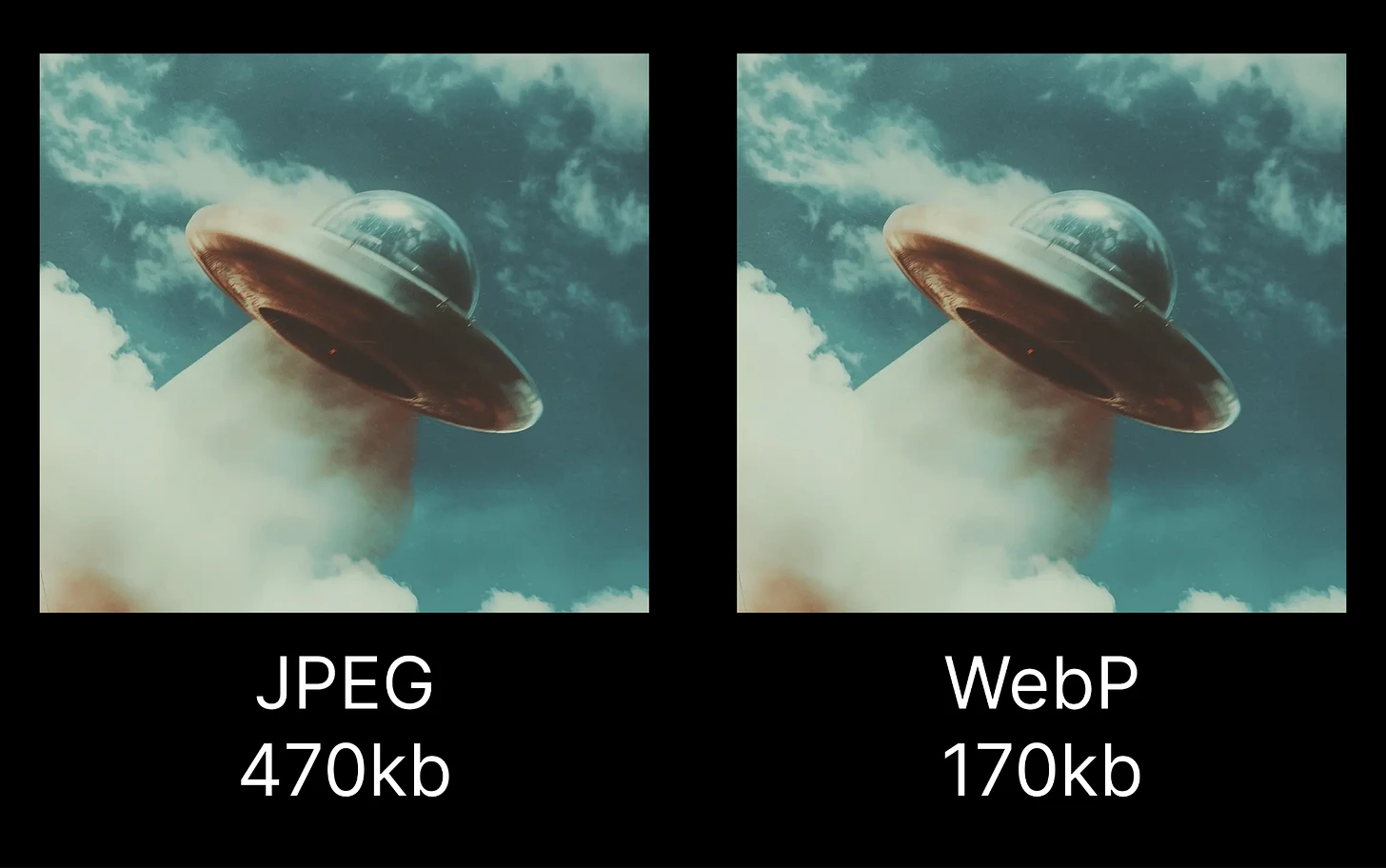
Some claim that state-of-the-art JPEG compression can rival WebP in certain cases. Probably true, but let’s be honest: there are probably a handful of people who actually know how to perform true SoTA JPEG compression.
WebP Under The Hood
As we stated earlier, WebP contains two main compression methods: VP8 (lossy, meaning it alters the image to reduce its weight) and VP8L (lossless).
Inherited from video compression research, the VP8 algorithm splits each frame into macroblocks (see Technical Overview of VP8: An Open-Source Video Codec for the Web, 2011). Each macroblock contains a 16x16 block for the luma (brightness or Y channel) and two corresponding 8x8 blocks for the chroma (color or U and V channels). These are further divided into 4×4 sub-blocks to enable more precise prediction and more efficient compression. Instead of storing the color of every pixel, it analyzes patterns and similarities between blocks and records only the changes. It then applies mathematical transformations to predict what each block should look like and stores only the differences. This approach makes it highly efficient, sometimes achieving exceptional results when prediction works particularly well.
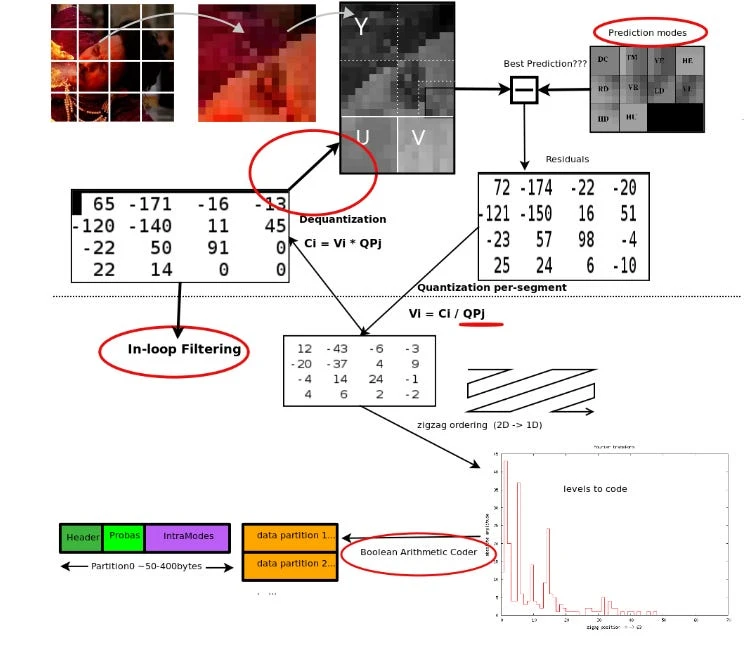
VP8L, the lossless (meaning the image stays exactly the same) compression is more classic: it finds repeated patterns (like similar colors or shapes) and replaces them with short “codes,” kind of like shorthand, instead of repeating the same data over and over. It predicts what the next color or pixel will be based on its neighbors, so it only needs to save the difference if it’s wrong: this can save lots of space depending on the image. For simple images, it can use a “palette,” which means it just notes which colors are used and then describes the image in terms of those colors instead of specifying the RGB values for each pixel.
It’s a Gift... And a Curse
Mr. Monk says every gift comes with its curse, and WebP’s evolutionary traits come with a price. The format was officially released in 2010 with support from Chrome only in 2011. It offered poor visual quality, slow encoding, and no transparency, which made it useless for icons or overlays. Year after year, more features arrived in the toolbox, ALPH, VP8L, ANIM, and plagued by its complexity, the browsers adopted it slowly and painfully as the specifications were moving too much instead of implementing a closed and finished product. Opera added it in 2012, Firefox in 2019, and the most stubborn of all, Safari, meaning the iPhone, in 2020.
As mentioned, there were valid reasons for resistance during the early days: fuzzy specifications, but also unclear royalty status until 2013 (MPEG LA quickly argued that VP8 might infringe on some of their patents, and WebP’s lossy compression is based on VP8 key frame encoding), technical complexity, and slow encoding for instance. But the format stabilized and fixed all this around 2013 or 2014.
The decision for Chrome to release and enforce updates every six weeks was meant to speed up the adoption of new formats. As surreal as it sounds, back then Internet Explorer was updated every two to three years (a blessing for some 🏴☠️), Firefox every six to twelve months, and Safari tied its updates to macOS releases. Opera was faster, with roughly two updates a year, but nobody really used it anyway. With this policy, Chrome changed the landscape by either dominating it or forcing everyone else to keep pace, making the adoption cycle much faster, yet it never had the impact on WebP that you’d expect.
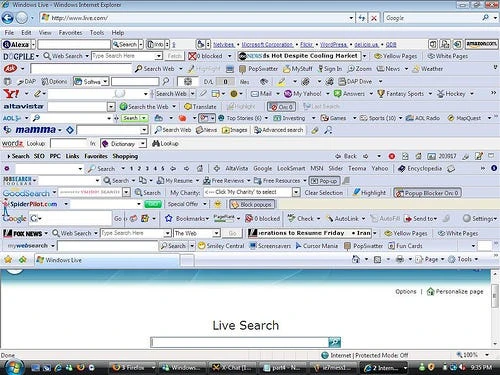
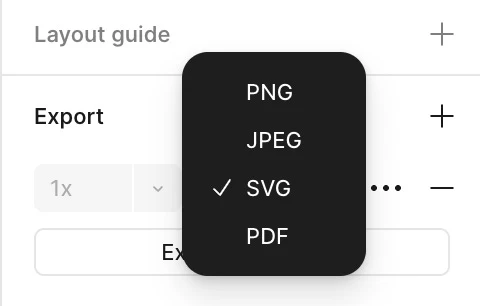
So it took forever. And here’s the kicker, that wasn’t even the end of it. Getting a format adopted isn’t just about browsers being able to display it, you have to convince the whole pipeline. It took another two years for Photoshop after Apple’s adoption to vaguely adopt WebP, WordPress, which powers around 40% of websites, only added support in 2021, and even today macOS Preview can only read WebP and suggests converting it to TIFF for editing. What an insult. Even worse, Figma, the most popular tool for web design, still doesn’t provide WebP export, only PNG, JPEG, SVG, and PDF.
Because of all this, WebP has been overlooked the whole time. Getting a WebP file and not being able to work with it without converting it first is infuriating, hence the WebP hate. It makes you hate the format when it’s actually the fault of the software makers. You might think it’s a pain to implement or that Google makes it difficult, but absolutely not, everything is right there on the page.
For Figma, the reason seems twofold. First, since it’s an Electron app running a custom C++ rendering engine compiled to a WebAssembly environment, it seems adding WebP support actually takes engineering work. Meanwhile, plugins for Figma run in a different environment with full browser access, which makes it easier for third parties to offer WebP export. And second, it feels like nobody’s asking for it, so it’s just not a priority. I am sadness.
The AVIF Case
I said before that WebP was filling all the gaps, but obviously nothing’s perfect in this world, and WebP doesn’t cover the full picture, even though the lack of support for HDR is only an issue for professionals.
In 2019, AVIF was released to be the perfect solution (read An evaluation of the next-generation imagecoding standard AVIF, 2020), and is actually quite there. Like WebP, AVIF is also born from video tech, built on the AV1 codec that was made for high compression efficiency in both still images and video frames.
Packed into a ISOBMFF container (same as MP4), it uses advanced intra-frame prediction, transform coding, and entropy coding to squeeze both natural and synthetic images efficiently. AVIF adds one more chroma subsampling option, giving finer control over color fidelity and compression, especially for videos, while also supporting high color accuracy, HDR, and Wide Color Gamut imagery.
When compressing, AVIF still chops images into blocks, but unlike WebP, it uses a more flexible setup called coding tree units, which can split recursively into 4x4 blocks. That makes it less pattern-dependent and better at adapting to local image structures, boosting both prediction and transform efficiency. The result is a format that keeps more quality and achieves higher compression, and fits modern imaging standards way better.
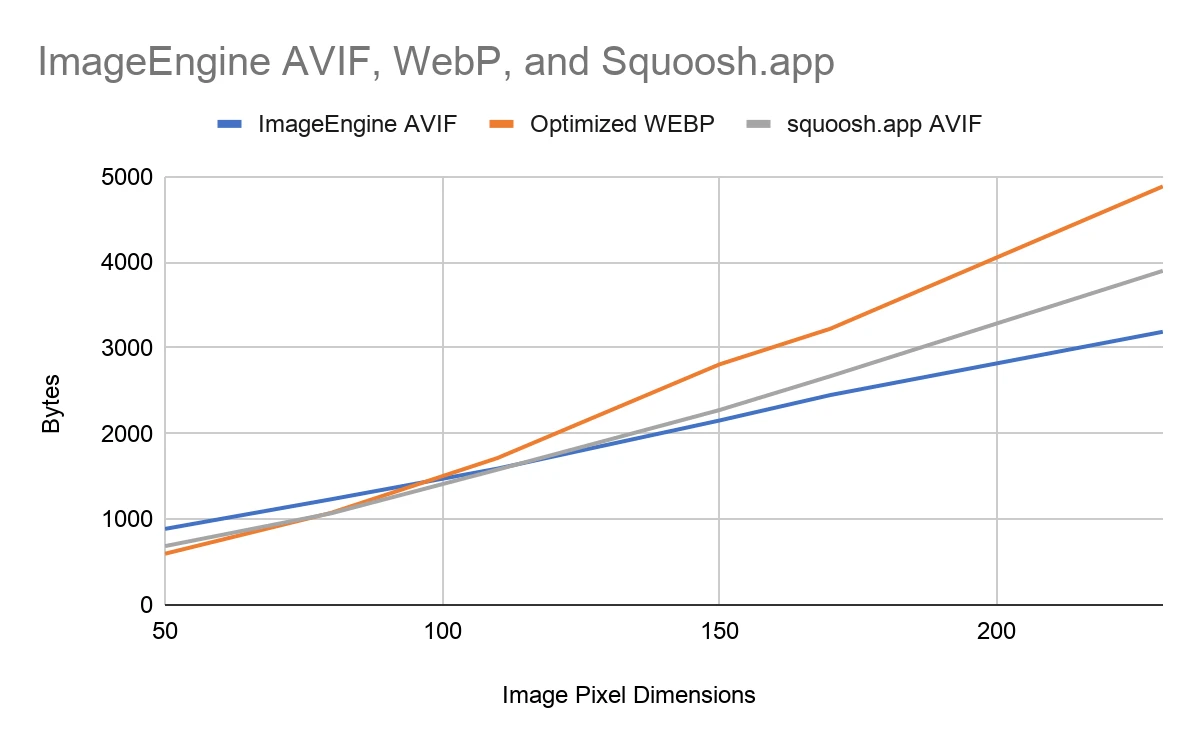
But the real strength of AVIF is how quickly it spread across browsers. Released in 2019, it caught up with WebP in just a few years, helped by a web landscape now largely Chromium-based and by the fact that AVIF was developed by the Alliance for Open Media, a group that includes Netflix, Amazon, Microsoft, Intel, Cisco, Meta, and, more importantly, Google, Mozilla, and Apple (which joined the Alliance in 2018). As usual, Safari was late to the party with partial support in 2022 and full support in 2023.
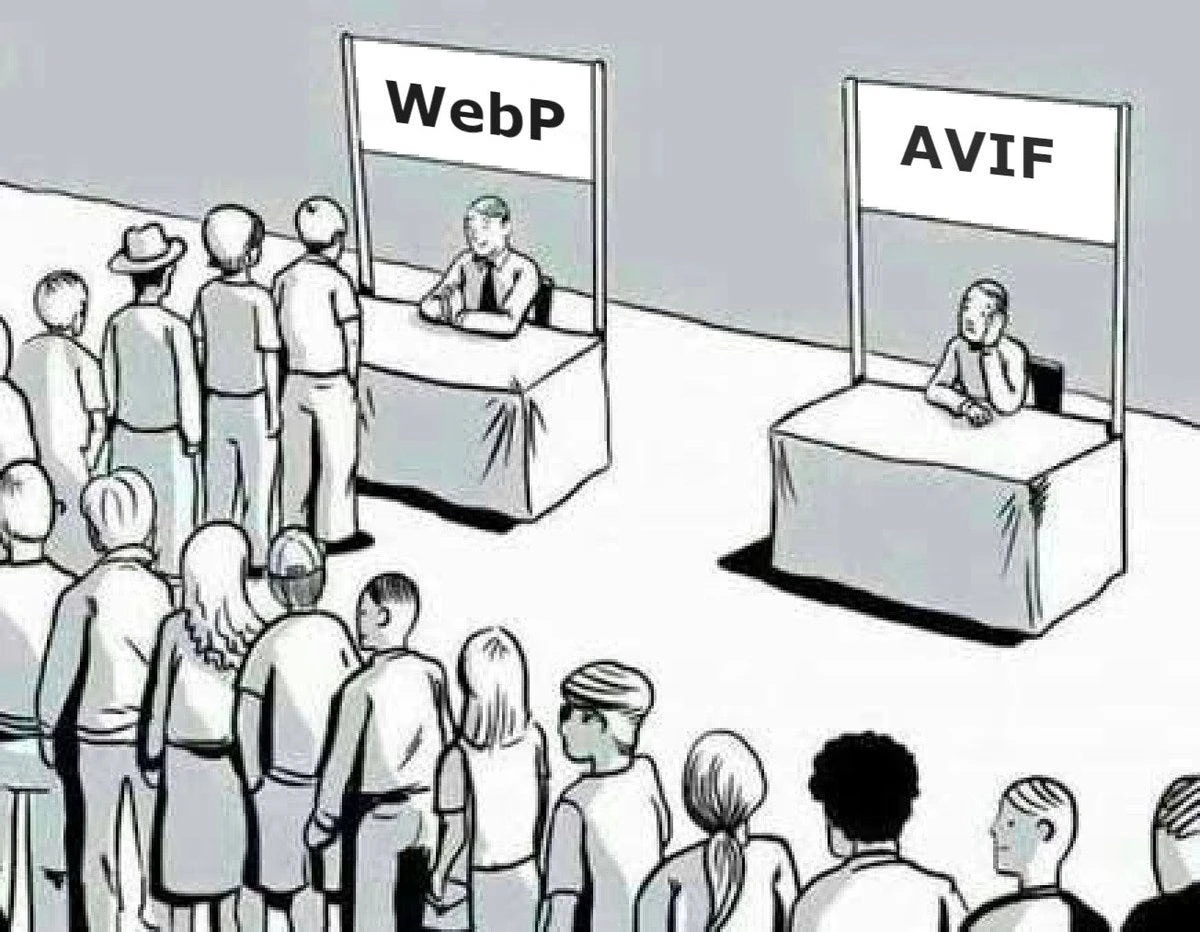
One major caveat for AVIF remains, though: its recognition. To be honest, before writing this essay, I didn’t even realize it was widely supported. And despite browsers adoption, the broader software ecosystem still lags behind, even more so than WebP’s.
When Superiority Isn’t Enough
As I mentioned in the opening, imposing a new standard is no easy feat. You need to align a lot of planets, to convert the marvel of algorithms you’ve built into something tangible for the ecosystem. Even with hard proof that your format solves real problems, you still have to convince a bunch of companies with their own agendas (Apple is still fighting to keep HEIC relevant, for instance) and get enough people using it to pressure software makers, so that receiving a file in your format doesn’t make anyone suspicious or annoyed.
In the end, the story of WebP and AVIF is a reminder that technology doesn’t evolve through superiority alone, but through momentum, timing, and a lot of politics. WebP came too early, trapped in a fragmented web and a sluggish update cycle with an unclear legal background. AVIF, on the other hand, arrived just in time, backed by a powerful coalition, a unified browser ecosystem, and a world finally ready to move on.
Yet even today, the perfect image format doesn’t exist. Adoption for both WebP and AVIF is still weak on the production side. Maybe in a few years something like JPEG XL or whatever comes next will rise to fix what the others missed. Until then I can only encourage every web developer to use WebP for all the images on their pages. It makes sites faster, saves bandwidth, storage space, and more importantly puts pressure on the slow adopters still clogging the pipeline.
🙏 Thank you Pierre Chapuis for the proofreading